728x90
Github에서 Repository 만든 후 협업자 추가
01. github페이지에 접속
GitHub · Build and ship software on a single, collaborative platform
Join the world's most widely adopted, AI-powered developer platform where millions of developers, businesses, and the largest open source community build software that advances humanity.
github.com
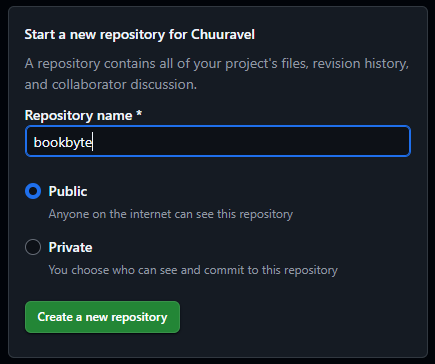
02. 레포지토리명과 공개 설정을 입력한 후 「Create a new repository」를 클릭
03. Invite collaborators를 클릭

04. Add people을 클릭

05. 협업자의 메일주소를 입력 후 「Add to repository」를 클릭

'04_Git' 카테고리의 다른 글
| 브랜치의 내용을 main(master)에 merge (1) | 2025.05.22 |
|---|---|
| [Sourcetree]Git GUI툴 다운로드 후 초기설정 (0) | 2025.05.13 |
| Git 로컬 브랜치 변경사항 다 버리고 원격 브랜치로 덮어쓰기 (0) | 2025.02.25 |
| 원격 저장소(remote)의 브랜치(branch) 확인 후 체크아웃(checkout) Git (0) | 2025.02.25 |
| VsCode에서의 Git 초기세팅 (0) | 2025.02.24 |